VOCABULARY / ENTRY
Command Palette
command-palette
A search-box overlay invoked by a keyboard shortcut: typing a word fuzzy-matches commands, jumpable objects, and settings and runs them directly, layered on top of the visible menus as a keyboard accelerator.
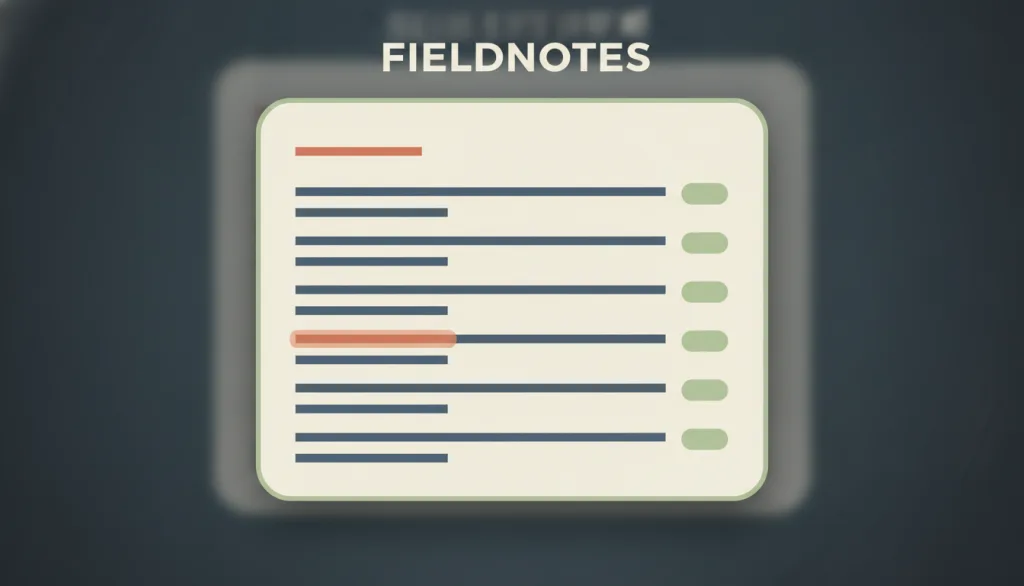
Recognizing it
- A keyboard shortcut summons a centered input overlay from anywhere in the interface
- Typing fuzzy-matches commands, objects, and settings by name, and each result row shows its keyboard shortcut
- Selecting a result runs or navigates immediately, and closing returns focus to the element that had it before
Concept boundary
A command palette is an accelerator layered on top of the visible interface, not the only route to a function: every command reachable in the palette must also be reachable through a menu, button, or other visible path, or usability ends up resting on recall rather than recognition — which is exactly its tension with Recognition Rather Than Recall. It differs from search and filter, which narrows a set of content for browsing and comparison, whereas a command palette finds and runs a single action. It borrows a modal dialog's overlay and focus capture in form, but its purpose is invoking commands, not collecting information needed to continue or preventing an irreversible error.
When to consider it
- There are too many commands, pages, or objects for menus and navigation to list individually
- Actions or destinations have clear, describable names that a person can roughly recall
- People repeat the same set of actions and are willing to build keyboard muscle memory
When to be cautious
- The palette becomes the only entry point to a function, leaving people who don't know its name unable to complete the task
- The application has few commands and the menus are already self-evident
- People are mainly browsing and comparing a set of content rather than finding and running a single action
Tradeoff
Gives people who remember command names a fast keyboard accelerator, at the cost of maintaining a searchable command index and keeping the same commands reachable in the visible menus.
Conditional rules · Editorial advice
Related entries
A command palette depends on people recalling command names, which runs counter to Recognition Rather Than Recall; a visible, recognizable path must remain outside the palette.
Search and filter narrows a set of content for browsing and comparison, while a command palette finds a single action to run immediately — the purposes differ.
A command palette borrows a modal dialog's overlay and focus-capture mechanics, but its purpose is invoking commands rather than collecting information needed to continue or preventing an irreversible error.
Sources and what they support
The combobox pattern is an input with an associated popup: typed text filters the candidates in the popup, arrow keys move focus into and through the popup, Enter accepts the selection, and Escape dismisses the popup.
Retrieved: 2026-09-15 · Archived 2026-09-16Accelerators (keyboard shortcuts) let expert users bypass the normal menu path to complete tasks faster; shortcuts should be displayed inline next to their commands so people can recognize and learn them.
Retrieved: 2026-09-15 · Snapshot unconfirmedThe Command Palette, opened with Ctrl/Cmd+Shift+P, is a unified entry point to all of the editor's functionality — running commands, opening files, and searching symbols — and lists the keyboard shortcuts for common operations.
Retrieved: 2026-09-15 · Snapshot unconfirmedDefinitions reference these sources. Digital specimens, selection advice, relationships, and recipes are editorial work and have not been validated through user research.
Type extensions and implementation notes
This entry has no operable specimen yet; the illustration is an editorial mockup. Still to verify in a real product: that every palette command matches a visible menu entry, that shortcut hints are actually legible, and focus management and keyboard reachability on open and close.
{
"states": [
"closed",
"open",
"filtering",
"executing"
],
"a11y": [
"The container uses combobox associated with a listbox; arrow keys move focus among candidates",
"Focus moves into the input on open; Escape closes the palette and returns focus to the trigger",
"Each candidate row exposes both a readable command name and its shortcut text"
],
"motion": "The overlay's appearance and dismissal can skip animation; under reduced motion it shows or hides directly"
}Full Agent entry JSON
{
"id": "command-palette",
"type": "interaction",
"name": {
"zh": "命令面板",
"en": "Command Palette"
},
"aliases": [
"快捷命令面板",
"Command Bar",
"Cmd+K 面板"
],
"granularity": "component",
"intents": [
"find-option",
"run-command"
],
"tags": [
"commands",
"keyboard",
"search",
"shortcuts",
"overlay"
],
"definition": "A search-box overlay invoked by a keyboard shortcut: typing a word fuzzy-matches commands, jumpable objects, and settings and runs them directly, layered on top of the visible menus as a keyboard accelerator.",
"boundary": "A command palette is an accelerator layered on top of the visible interface, not the only route to a function: every command reachable in the palette must also be reachable through a menu, button, or other visible path, or usability ends up resting on recall rather than recognition — which is exactly its tension with Recognition Rather Than Recall. It differs from search and filter, which narrows a set of content for browsing and comparison, whereas a command palette finds and runs a single action. It borrows a modal dialog's overlay and focus capture in form, but its purpose is invoking commands, not collecting information needed to continue or preventing an irreversible error.",
"signature": [
"A keyboard shortcut summons a centered input overlay from anywhere in the interface",
"Typing fuzzy-matches commands, objects, and settings by name, and each result row shows its keyboard shortcut",
"Selecting a result runs or navigates immediately, and closing returns focus to the element that had it before"
],
"when": [
"There are too many commands, pages, or objects for menus and navigation to list individually",
"Actions or destinations have clear, describable names that a person can roughly recall",
"People repeat the same set of actions and are willing to build keyboard muscle memory"
],
"when_not": [
"The palette becomes the only entry point to a function, leaving people who don't know its name unable to complete the task",
"The application has few commands and the menus are already self-evident",
"People are mainly browsing and comparing a set of content rather than finding and running a single action"
],
"tradeoff": "Gives people who remember command names a fast keyboard accelerator, at the cost of maintaining a searchable command index and keeping the same commands reachable in the visible menus.",
"comparison": {
"focus": "Whether a command can be invoked directly from a name held in memory",
"mechanism": "A keyboard-summoned fuzzy-search input with a list of candidate results",
"cost": "Depends on people recalling command names, and requires maintaining both the palette index and the visible menus"
},
"sources": [
{
"id": "apg-combobox",
"title": "WAI-ARIA APG · Combobox Pattern",
"url": "https://www.w3.org/WAI/ARIA/apg/patterns/combobox/",
"claim": "The combobox pattern is an input with an associated popup: typed text filters the candidates in the popup, arrow keys move focus into and through the popup, Enter accepts the selection, and Escape dismisses the popup.",
"checkedAt": "2026-09-15",
"archive": {
"lookupUrl": "https://web.archive.org/web/20260915*/https://www.w3.org/WAI/ARIA/apg/patterns/combobox/",
"status": "available",
"checkedAt": "2026-09-16T05:45:51.213Z",
"jobId": "spn2-d4d6992153373f55a317fe7ec6043b6e8772a02b",
"url": "https://web.archive.org/web/20260916054653/https://www.w3.org/WAI/ARIA/apg/patterns/combobox/",
"timestamp": "20260916054653"
}
},
{
"id": "nng-accelerators",
"title": "NN/g · Accelerators Maximize Efficiency in User Interfaces",
"url": "https://www.nngroup.com/articles/ui-accelerators/",
"claim": "Accelerators (keyboard shortcuts) let expert users bypass the normal menu path to complete tasks faster; shortcuts should be displayed inline next to their commands so people can recognize and learn them.",
"checkedAt": "2026-09-15",
"archive": {
"lookupUrl": "https://web.archive.org/web/20260915*/https://www.nngroup.com/articles/ui-accelerators/",
"status": "pending",
"checkedAt": "2026-09-16T05:46:11.257Z",
"error": "status-request-failed",
"jobId": "spn2-5469a86990cb2b93f9fc31b61ed24c07d549e802"
}
},
{
"id": "vscode-command-palette",
"title": "Visual Studio Code Docs · User Interface — Command Palette",
"url": "https://code.visualstudio.com/docs/getstarted/userinterface",
"claim": "The Command Palette, opened with Ctrl/Cmd+Shift+P, is a unified entry point to all of the editor's functionality — running commands, opening files, and searching symbols — and lists the keyboard shortcuts for common operations.",
"checkedAt": "2026-09-15",
"archive": {
"lookupUrl": "https://web.archive.org/web/20260915*/https://code.visualstudio.com/docs/getstarted/userinterface",
"status": "pending",
"checkedAt": "2026-09-16T05:46:35.657Z",
"error": "status-request-failed",
"jobId": "spn2-43a6ba7af44b9c8af7642be408ee72f1ec8d07ee"
}
}
],
"relations": [
{
"target": "recognition",
"kind": "conflicts_when",
"condition": "The palette becomes the only route to a function",
"reason": "A command palette depends on people recalling command names, which runs counter to Recognition Rather Than Recall; a visible, recognizable path must remain outside the palette.",
"basis": "editorial"
},
{
"target": "search-and-filter",
"kind": "related",
"condition": "The palette also offers a search box for jumping to objects",
"reason": "Search and filter narrows a set of content for browsing and comparison, while a command palette finds a single action to run immediately — the purposes differ.",
"basis": "editorial"
},
{
"target": "modal-dialog",
"kind": "composes_with",
"condition": "The palette appears as a modal overlay covering the main content",
"reason": "A command palette borrows a modal dialog's overlay and focus-capture mechanics, but its purpose is invoking commands rather than collecting information needed to continue or preventing an irreversible error.",
"basis": "editorial"
}
],
"rules": [
{
"when": "A command is listed in the palette",
"instruction": "The command must also be reachable through a menu, button, or other visible path — it must not exist only inside the palette.",
"strength": "must",
"basis": "editorial"
},
{
"when": "The palette shows a result row for a command",
"instruction": "Show that command's keyboard shortcut on the row so people can gradually learn it.",
"strength": "recommend",
"basis": "editorial"
},
{
"when": "The palette opens or closes",
"instruction": "Move focus into the palette's input on open, and return focus to the element that had it before on close.",
"strength": "must",
"basis": "editorial"
}
],
"behavior": {
"states": [
"closed",
"open",
"filtering",
"executing"
],
"a11y": [
"The container uses combobox associated with a listbox; arrow keys move focus among candidates",
"Focus moves into the input on open; Escape closes the palette and returns focus to the trigger",
"Each candidate row exposes both a readable command name and its shortcut text"
],
"motion": "The overlay's appearance and dismissal can skip animation; under reduced motion it shows or hides directly"
},
"demo": null,
"version": "0.1.0",
"editorialStatus": "drafted",
"requirements": [],
"demoCapabilities": [],
"implementationNote": "This entry has no operable specimen yet; the illustration is an editorial mockup. Still to verify in a real product: that every palette command matches a visible menu entry, that shortcut hints are actually legible, and focus management and keyboard reachability on open and close.",
"image": {
"src": "/images/command-palette.webp",
"alt": "A fictional FIELDNOTES interface dimmed behind a centered command palette card: a single input line at the top, several command rows below each ending in a shortcut chip, with one row highlighted."
},
"searchTerms": [
"命令",
"键盘",
"搜索",
"快捷键",
"覆层"
]
}