VOCABULARY / ENTRY
Haptic Feedback
haptic-feedback
Haptic feedback uses a device's vibration or force actuator to give a brief physical confirmation the instant a press, state change, or event occurs. On the web it is mainly provided through the Vibration API (navigator.vibrate()), which only has an effect when the device has vibration hardware, is not in silent or do-not-disturb mode, and the user has already interacted with the page; the specification itself scopes it to simple tactile feedback rather than a general notification mechanism.
Recognizing it
- A brief vibration or force pulse, with controllable duration and intensity, that follows immediately after a press, state change, or event
- The same event is already conveyed through another channel, such as a pressed state (visual) or a status message (text); the haptic is a layered confirmation, not the only cue
- Intensity and duration scale with how significant the event is, rather than firing the same pulse for every routine interaction
Concept boundary
Haptic feedback is a supplementary channel layered on top of other feedback, confirming a press, state change, or event at the fingertip. It cannot substitute for the visual pressed state (which is the required baseline feedback) or for the text or graphical account a status message gives of a result. This is because many users' devices lack vibration hardware, have haptics turned off at the system level, are in silent or do-not-disturb mode, or simply are not being held so the vibration goes unfelt; web platform support for vibration is also limited and inconsistent, with some browsers never implementing it and others removing it. Haptic feedback must always accompany at least one visual or textual channel and can never carry the sole responsibility for conveying an event or state.
When to consider it
- A critical confirmation on mobile (a completed payment, a critical error) needs an extra physical confirmation layered on top of the visual one
- The user may not be looking at the screen while still holding the device, so vibration can convey that an event occurred outside of vision
- The platform offers haptic capability and the user has not disabled haptics or turned on reduced motion at the system level
When to be cautious
- Do not make haptic feedback the sole indicator of an event or state -- many users' devices or browsers do not support vibration, or the system setting has turned it off
- Do not fire a vibration on every routine click, scroll, or hover; haptics quickly become noisy and get ignored
- Do not re-enable vibration inside an app after the user has disabled system-level haptics or turned on reduced motion, without the user's explicit consent
Tradeoff
Haptic feedback offers an immediate physical confirmation beyond the visual channel, which suits mobile hand-held contexts well; but web platform vibration support is limited and unstable (some browsers never supported it, others have removed support), and many users turn off system haptics or use devices without vibration. So it can only be an added bonus channel, never the primary carrier of information, and overuse creates its own annoyance.
Conditional rules · Editorial advice
Related entries
The pressed state carries the immediate visual confirmation; haptic feedback can layer an additional physical confirmation on top of it, but cannot replace the visual presentation.
A status message reports the result in text or graphics; haptic feedback can only add a brief physical cue alongside it -- the two answer different questions.
Haptic availability varies by device, browser implementation, and user setting; an inclusive-design lens is a reminder to keep an equally effective alternative for users who cannot perceive haptics.
Sources and what they support
The document explains that most modern mobile devices include vibration hardware, and the Vibration API lets a web app trigger vibration patterns through navigator.vibrate() when that hardware exists, with no effect when the device does not support it; it flags the feature as "Limited availability" because it does not work in some widely used browsers.
Retrieved: 2026-09-16 · Snapshot unconfirmedThe document explains that the method pulses the device's vibration hardware when present, with no effect on devices that lack it; it notes some devices may not vibrate in Silent or Do Not Disturb mode, and that the feature requires "sticky user activation" -- the user must already have interacted with the page or a UI element.
Retrieved: 2026-09-16The specification defines vibration as a form of tactile feedback and states the API is scoped to simple tactile feedback use cases, adding that "this API is not meant to be used as a generic notification mechanism"; the text acknowledges it is currently implemented only in Chromium-based browsers, that WebKit has published a position against it, that Firefox removed its implementation in version 129, and that the spec is not expected to advance to W3C Recommendation in its current form.
Retrieved: 2026-09-16 · Snapshot unconfirmedDefinitions reference these sources. Digital specimens, selection advice, relationships, and recipes are editorial work and have not been validated through user research.
Type extensions and implementation notes
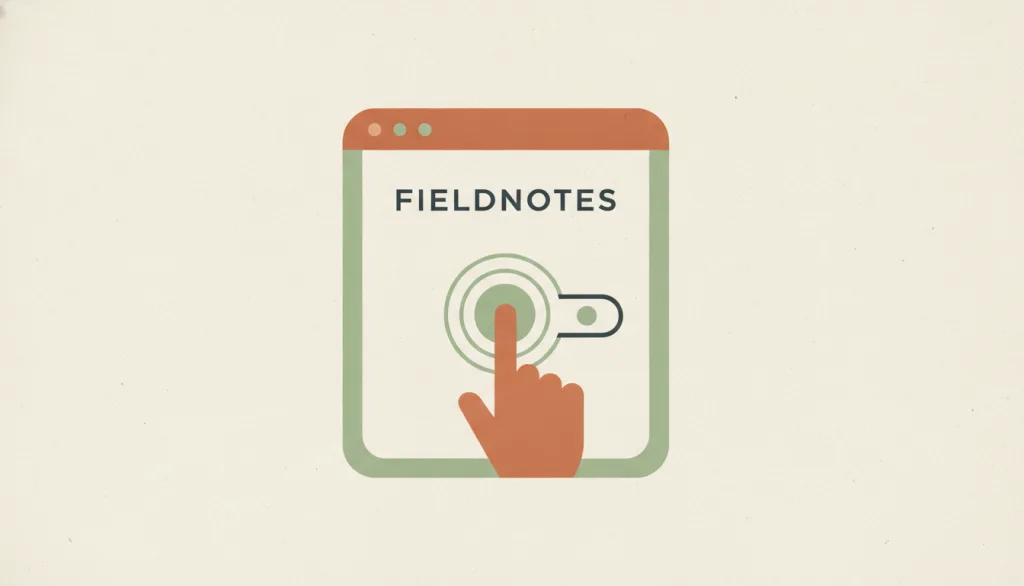
This entry has no operable specimen yet; the illustration is an editorial sketch. Applying it in a product still requires verifying: whether the target browsers and devices actually support the Vibration API (iOS Safari, for example, has long lacked support), behavior under the system's silent or do-not-disturb mode, whether the user has disabled system-level haptics or enabled reduced motion, and that haptic feedback is accompanied by a perceivable visual or textual channel in every case.
{
"states": [
"idle",
"light",
"strong"
],
"a11y": [
"Haptic feedback must never be the only feedback; it must be layered on top of a visual or textual channel",
"Follow the system's haptics and reduced-motion settings; do not re-enable them separately within the app"
],
"motion": "The vibration itself is a tactile effect, not a visual one; any paired visual confirmation still follows its own reduced-motion rules and is not omitted just because a haptic accompanies it"
}Full Agent entry JSON
{
"id": "haptic-feedback",
"type": "micro",
"name": {
"zh": "触觉反馈",
"en": "Haptic Feedback"
},
"aliases": [
"振动反馈",
"Vibration Feedback",
"Haptics"
],
"granularity": "state",
"intents": [
"inform"
],
"tags": [
"haptics",
"vibration",
"supplementary channel",
"device variance",
"accessibility limits"
],
"definition": "Haptic feedback uses a device's vibration or force actuator to give a brief physical confirmation the instant a press, state change, or event occurs. On the web it is mainly provided through the Vibration API (navigator.vibrate()), which only has an effect when the device has vibration hardware, is not in silent or do-not-disturb mode, and the user has already interacted with the page; the specification itself scopes it to simple tactile feedback rather than a general notification mechanism.",
"boundary": "Haptic feedback is a supplementary channel layered on top of other feedback, confirming a press, state change, or event at the fingertip. It cannot substitute for the visual pressed state (which is the required baseline feedback) or for the text or graphical account a status message gives of a result. This is because many users' devices lack vibration hardware, have haptics turned off at the system level, are in silent or do-not-disturb mode, or simply are not being held so the vibration goes unfelt; web platform support for vibration is also limited and inconsistent, with some browsers never implementing it and others removing it. Haptic feedback must always accompany at least one visual or textual channel and can never carry the sole responsibility for conveying an event or state.",
"signature": [
"A brief vibration or force pulse, with controllable duration and intensity, that follows immediately after a press, state change, or event",
"The same event is already conveyed through another channel, such as a pressed state (visual) or a status message (text); the haptic is a layered confirmation, not the only cue",
"Intensity and duration scale with how significant the event is, rather than firing the same pulse for every routine interaction"
],
"when": [
"A critical confirmation on mobile (a completed payment, a critical error) needs an extra physical confirmation layered on top of the visual one",
"The user may not be looking at the screen while still holding the device, so vibration can convey that an event occurred outside of vision",
"The platform offers haptic capability and the user has not disabled haptics or turned on reduced motion at the system level"
],
"when_not": [
"Do not make haptic feedback the sole indicator of an event or state -- many users' devices or browsers do not support vibration, or the system setting has turned it off",
"Do not fire a vibration on every routine click, scroll, or hover; haptics quickly become noisy and get ignored",
"Do not re-enable vibration inside an app after the user has disabled system-level haptics or turned on reduced motion, without the user's explicit consent"
],
"tradeoff": "Haptic feedback offers an immediate physical confirmation beyond the visual channel, which suits mobile hand-held contexts well; but web platform vibration support is limited and unstable (some browsers never supported it, others have removed support), and many users turn off system haptics or use devices without vibration. So it can only be an added bonus channel, never the primary carrier of information, and overuse creates its own annoyance.",
"comparison": {
"focus": "Confirming a press, state change, or event through physical touch, not by displaying visual or textual content",
"mechanism": "A brief device vibration or force pulse with controllable duration and intensity, typically triggered through a platform capability such as the web Vibration API",
"cost": "Device hardware, browser implementation, and the user's system settings can all make haptics unavailable, so it must pair with a visual or textual channel; firing too often causes annoyance and can get suppressed by the system or the user"
},
"sources": [
{
"id": "mdn-vibration-api",
"title": "MDN · Vibration API",
"url": "https://developer.mozilla.org/en-US/docs/Web/API/Vibration_API",
"claim": "The document explains that most modern mobile devices include vibration hardware, and the Vibration API lets a web app trigger vibration patterns through navigator.vibrate() when that hardware exists, with no effect when the device does not support it; it flags the feature as \"Limited availability\" because it does not work in some widely used browsers.",
"checkedAt": "2026-09-16",
"archive": {
"lookupUrl": "https://web.archive.org/web/20260916*/https://developer.mozilla.org/en-US/docs/Web/API/Vibration_API",
"status": "pending",
"checkedAt": "2026-09-16T05:48:37.927Z",
"error": "status-request-failed",
"jobId": "spn2-e563823f04a45bf3e660d9a0324248a4847fec68"
}
},
{
"id": "mdn-navigator-vibrate",
"title": "MDN · Navigator: vibrate() method",
"url": "https://developer.mozilla.org/en-US/docs/Web/API/Navigator/vibrate",
"claim": "The document explains that the method pulses the device's vibration hardware when present, with no effect on devices that lack it; it notes some devices may not vibrate in Silent or Do Not Disturb mode, and that the feature requires \"sticky user activation\" -- the user must already have interacted with the page or a UI element.",
"checkedAt": "2026-09-16",
"archive": {
"lookupUrl": "https://web.archive.org/web/20260916*/https://developer.mozilla.org/en-US/docs/Web/API/Navigator/vibrate",
"status": "available",
"checkedAt": "2026-09-16T05:49:01.232Z",
"jobId": "spn2-174ceac77144d8ad901e87c65d15bc459cbf67ef",
"url": "https://web.archive.org/web/20260916054924/https://developer.mozilla.org/en-US/docs/Web/API/Navigator/vibrate",
"timestamp": "20260916054924"
}
},
{
"id": "w3c-vibration-api",
"title": "W3C · Vibration API",
"url": "https://www.w3.org/TR/vibration/",
"claim": "The specification defines vibration as a form of tactile feedback and states the API is scoped to simple tactile feedback use cases, adding that \"this API is not meant to be used as a generic notification mechanism\"; the text acknowledges it is currently implemented only in Chromium-based browsers, that WebKit has published a position against it, that Firefox removed its implementation in version 129, and that the spec is not expected to advance to W3C Recommendation in its current form.",
"checkedAt": "2026-09-16",
"archive": {
"lookupUrl": "https://web.archive.org/web/20260916*/https://www.w3.org/TR/vibration/",
"status": "unconfirmed",
"checkedAt": "2026-09-16T05:49:22.377Z",
"error": "save-request-failed"
}
}
],
"relations": [
{
"target": "pressed-state",
"kind": "composes_with",
"condition": "A control is pressed and the platform offers haptic capability",
"reason": "The pressed state carries the immediate visual confirmation; haptic feedback can layer an additional physical confirmation on top of it, but cannot replace the visual presentation.",
"basis": "editorial"
},
{
"target": "status-message",
"kind": "related",
"condition": "An event or action result needs to be reported to the user",
"reason": "A status message reports the result in text or graphics; haptic feedback can only add a brief physical cue alongside it -- the two answer different questions.",
"basis": "editorial"
},
{
"target": "inclusive-design",
"kind": "informs",
"condition": "Deciding whether and how to use haptic feedback at all",
"reason": "Haptic availability varies by device, browser implementation, and user setting; an inclusive-design lens is a reminder to keep an equally effective alternative for users who cannot perceive haptics.",
"basis": "editorial"
}
],
"rules": [
{
"when": "Haptic feedback is used to confirm an event or state",
"instruction": "Always also provide at least one visual or textual channel (such as a pressed state or status message), so the user still learns the result when haptics are unavailable or disabled.",
"strength": "must",
"basis": "editorial"
},
{
"when": "Designing the intensity and triggering of haptics",
"instruction": "Grade vibration intensity and duration to how significant the event is, and avoid repeating the same pulse for routine, low-stakes interactions.",
"strength": "recommend",
"basis": "editorial"
},
{
"when": "The user has disabled system-level haptics or turned on reduced motion",
"instruction": "Follow the system setting; do not re-enable haptic feedback inside the app unless the user explicitly consents to it there.",
"strength": "must",
"basis": "editorial"
}
],
"requirements": [],
"behavior": {
"states": [
"idle",
"light",
"strong"
],
"a11y": [
"Haptic feedback must never be the only feedback; it must be layered on top of a visual or textual channel",
"Follow the system's haptics and reduced-motion settings; do not re-enable them separately within the app"
],
"motion": "The vibration itself is a tactile effect, not a visual one; any paired visual confirmation still follows its own reduced-motion rules and is not omitted just because a haptic accompanies it"
},
"demo": null,
"version": "0.1.0",
"editorialStatus": "drafted",
"demoCapabilities": [],
"implementationNote": "This entry has no operable specimen yet; the illustration is an editorial sketch. Applying it in a product still requires verifying: whether the target browsers and devices actually support the Vibration API (iOS Safari, for example, has long lacked support), behavior under the system's silent or do-not-disturb mode, whether the user has disabled system-level haptics or enabled reduced motion, and that haptic feedback is accompanied by a perceivable visual or textual channel in every case.",
"image": {
"src": "/images/haptic-feedback.webp",
"alt": "On a fictional FIELDNOTES interface, a finger presses a control while concentric ripple arcs radiate outward from the fingertip, with a small visual confirmation chip placed beside it, rendered in a warm-muted editorial illustration."
},
"searchTerms": [
"触觉",
"振动",
"辅助通道",
"设备差异",
"无障碍局限"
]
}