VOCABULARY / ENTRY
User Control and Freedom
user-control
Users often act by mistake, so they need a clearly marked "emergency exit" that lets them leave an unwanted state without going through an extended process, plus support for undo and redo. Being able to get out of trouble easily gives people the confidence to explore, which supports learning and feature discovery.
Recognizing it
- Every multi-step or modal flow has a visible, text-labeled cancel, close, or back
- Destructive or modifying actions can be undone and redone, or at least confirmed before commitment
- Changes of context such as navigation, new windows, or automatic submission are triggered by the user, not by the system
Concept boundary
User control and freedom is about whether the user can leave or reverse at any time; it is Nielsen's third heuristic. It is related to calm technology (respecting attention), but that principle concerns the intensity of information presentation rather than exit routes. Undo/redo is one realization of it and has no separate entry yet; obstruction is its direct violation. It is not error prevention: this principle handles mistakes after they happen, error prevention handles them before.
When to consider it
- Users can easily slip into an unwanted state while editing, configuring, or moving through a multi-step flow
- An action modifies or deletes content and users may want to reverse it afterwards
- The system might change context on its own, such as auto-redirecting, auto-refreshing, or auto-submitting
When to be cautious
- Treating "undoable" as a reason to skip confirmation on actions whose undo window is tiny or where recovery is not actually possible
- Adding an exit confirmation to every low-cost action, so that the exit itself becomes friction
- Relying only on hidden keyboard shortcuts or unlabeled icons as the exit
Tradeoff
Clear exits and undo lower the cost of mistakes and encourage exploration, but undo requires persisting history state and cancel requires handling half-finished data, which adds implementation complexity; too many or too prominent exits can also distract from the main task.
Conditional rules · Editorial advice
Related entries
Obstruction is precisely the removal of the "emergency exit" and is a direct violation of this principle.
A modal must offer a text-labeled close or cancel, and closing it should not discard what the user has already entered.
Every wizard step should offer back and cancel, and leaving should warn about unsaved progress rather than silently discarding it.
Error prevention stops problems before commitment; user control and freedom provides a way back after they happen; together they cover both sides of the action.
Both leave the initiative with the user, but calm technology is about information intensity and attention, while this principle is about exit and reversal routes.
Sources and what they support
Heuristic #3: users often perform actions by mistake and need a clearly marked "emergency exit" to leave the unwanted action without going through an extended process; support undo and redo, show a clear way to exit such as a Cancel button, and make sure the exit is clearly labeled and discoverable.
Retrieved: 2026-09-15Lists four kinds of exits: back, cancel, close, and undo/redo; exits should sit in expected locations, be easy to find, and carry text labels ("Back" over "<", "Close" over "X"); undo should have a visible control rather than only a keyboard shortcut; being able to get out of trouble easily encourages exploration and feature discovery.
Retrieved: 2026-09-15 · Archived 2026-09-16WCAG 2.2 Level AAA requirement: changes of context are initiated only by user request, or a mechanism is available to turn such changes off; the intent is to give users full control over major content changes and avoid new windows or automatic submissions disorienting people with motor impairments, low vision, blindness, or cognitive disabilities.
Retrieved: 2026-09-15Definitions reference these sources. Digital specimens, selection advice, relationships, and recipes are editorial work and have not been validated through user research.
Type extensions and implementation notes
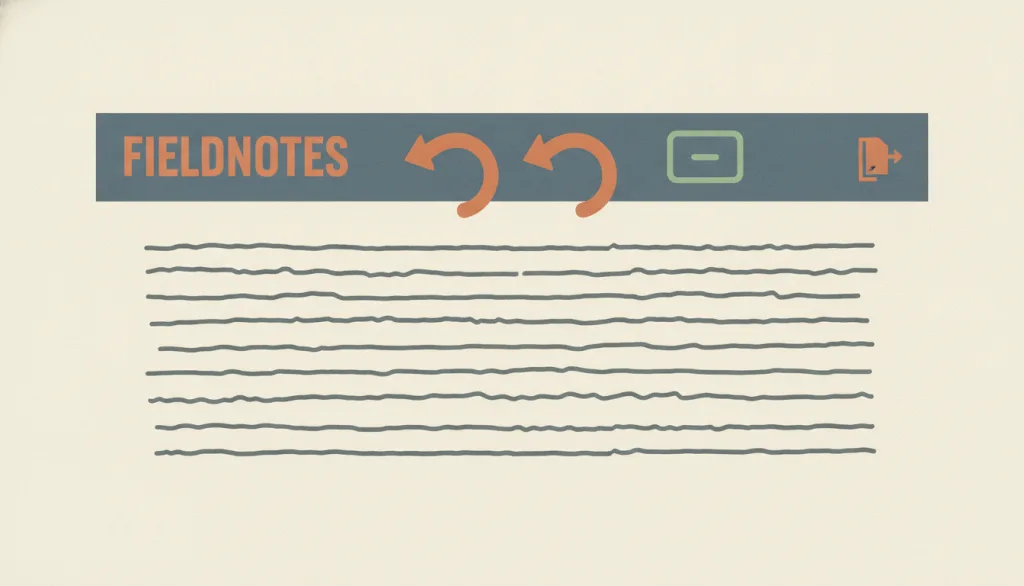
This entry has no interactive specimen yet; the illustration is an editorial sketch. Product use still requires verifying that every modal and multi-step flow has a labeled exit, that undo actually restores data, and that cancelling a half-finished flow does not silently lose content.
{
"evidenceType": "A design interpretation of a usability heuristic and an accessibility standard",
"limit": "This entry does not measure the effect of undo or cancel on task completion, nor prescribe the length of an undo window or the number of history steps."
}Full Agent entry JSON
{
"id": "user-control",
"type": "principle",
"name": {
"zh": "用户控制与自由",
"en": "User Control and Freedom"
},
"aliases": [
"Nielsen Heuristic #3",
"紧急出口",
"Emergency Exit"
],
"granularity": "experience",
"intents": [
"confirm-action",
"prevent-error"
],
"tags": [
"heuristics",
"undo",
"cancel",
"exit",
"reversible"
],
"definition": "Users often act by mistake, so they need a clearly marked \"emergency exit\" that lets them leave an unwanted state without going through an extended process, plus support for undo and redo. Being able to get out of trouble easily gives people the confidence to explore, which supports learning and feature discovery.",
"boundary": "User control and freedom is about whether the user can leave or reverse at any time; it is Nielsen's third heuristic. It is related to calm technology (respecting attention), but that principle concerns the intensity of information presentation rather than exit routes. Undo/redo is one realization of it and has no separate entry yet; obstruction is its direct violation. It is not error prevention: this principle handles mistakes after they happen, error prevention handles them before.",
"signature": [
"Every multi-step or modal flow has a visible, text-labeled cancel, close, or back",
"Destructive or modifying actions can be undone and redone, or at least confirmed before commitment",
"Changes of context such as navigation, new windows, or automatic submission are triggered by the user, not by the system"
],
"when": [
"Users can easily slip into an unwanted state while editing, configuring, or moving through a multi-step flow",
"An action modifies or deletes content and users may want to reverse it afterwards",
"The system might change context on its own, such as auto-redirecting, auto-refreshing, or auto-submitting"
],
"when_not": [
"Treating \"undoable\" as a reason to skip confirmation on actions whose undo window is tiny or where recovery is not actually possible",
"Adding an exit confirmation to every low-cost action, so that the exit itself becomes friction",
"Relying only on hidden keyboard shortcuts or unlabeled icons as the exit"
],
"tradeoff": "Clear exits and undo lower the cost of mistakes and encourage exploration, but undo requires persisting history state and cancel requires handling half-finished data, which adds implementation complexity; too many or too prominent exits can also distract from the main task.",
"comparison": {
"focus": "Whether the user can leave an unwanted state at any time and reverse actions",
"mechanism": "Visible back, cancel, and close exits, plus undo/redo",
"cost": "Maintaining history state, handling half-finished data, and designing the placement and labels of exits"
},
"sources": [
{
"id": "nng-heuristics-user-control",
"title": "NN/g · 10 Usability Heuristics for User Interface Design",
"url": "https://www.nngroup.com/articles/ten-usability-heuristics/",
"claim": "Heuristic #3: users often perform actions by mistake and need a clearly marked \"emergency exit\" to leave the unwanted action without going through an extended process; support undo and redo, show a clear way to exit such as a Cancel button, and make sure the exit is clearly labeled and discoverable.",
"checkedAt": "2026-09-15",
"archive": {
"lookupUrl": "https://web.archive.org/web/20260915*/https://www.nngroup.com/articles/ten-usability-heuristics/",
"status": "available",
"checkedAt": "2026-09-15T18:21:57.626Z",
"jobId": "spn2-c214ca6ca65135f964d23731cb22d3701cb6d598",
"url": "https://web.archive.org/web/20260915182252/https://www.nngroup.com/articles/ten-usability-heuristics/",
"timestamp": "20260915182252"
}
},
{
"id": "nng-user-control-freedom",
"title": "NN/g · User Control and Freedom (Usability Heuristic #3)",
"url": "https://www.nngroup.com/articles/user-control-and-freedom/",
"claim": "Lists four kinds of exits: back, cancel, close, and undo/redo; exits should sit in expected locations, be easy to find, and carry text labels (\"Back\" over \"<\", \"Close\" over \"X\"); undo should have a visible control rather than only a keyboard shortcut; being able to get out of trouble easily encourages exploration and feature discovery.",
"checkedAt": "2026-09-15",
"archive": {
"lookupUrl": "https://web.archive.org/web/20260915*/https://www.nngroup.com/articles/user-control-and-freedom/",
"status": "available",
"checkedAt": "2026-09-16T03:59:51.314Z",
"jobId": "spn2-3a0ff97744af06a7cb1daace1073bb8545c95cac",
"url": "https://web.archive.org/web/20260916035135/https://www.nngroup.com/articles/user-control-and-freedom/",
"timestamp": "20260916035135"
}
},
{
"id": "wcag22-sc325",
"title": "W3C · Understanding SC 3.2.5: Change on Request",
"url": "https://www.w3.org/WAI/WCAG22/Understanding/change-on-request.html",
"claim": "WCAG 2.2 Level AAA requirement: changes of context are initiated only by user request, or a mechanism is available to turn such changes off; the intent is to give users full control over major content changes and avoid new windows or automatic submissions disorienting people with motor impairments, low vision, blindness, or cognitive disabilities.",
"checkedAt": "2026-09-15",
"archive": {
"lookupUrl": "https://web.archive.org/web/20260915*/https://www.w3.org/WAI/WCAG22/Understanding/change-on-request.html",
"status": "available",
"checkedAt": "2026-09-15T18:47:12.330Z",
"jobId": "spn2-187f801514744889f3b118c2ecba0e38fdebb299",
"url": "https://web.archive.org/web/20260915184735/https://www.w3.org/WAI/WCAG22/Understanding/change-on-request.html",
"timestamp": "20260915184735"
}
}
],
"relations": [
{
"target": "obstruction",
"kind": "conflicts_when",
"condition": "Cancel, unsubscribe, or account-deletion routes are deliberately hidden, lengthened, or obstructed",
"reason": "Obstruction is precisely the removal of the \"emergency exit\" and is a direct violation of this principle.",
"basis": "editorial"
},
{
"target": "modal-dialog",
"kind": "informs",
"condition": "A modal dialog blocks the current task",
"reason": "A modal must offer a text-labeled close or cancel, and closing it should not discard what the user has already entered.",
"basis": "editorial"
},
{
"target": "wizard",
"kind": "informs",
"condition": "Users in a multi-step flow need to go back a step or leave midway",
"reason": "Every wizard step should offer back and cancel, and leaving should warn about unsaved progress rather than silently discarding it.",
"basis": "editorial"
},
{
"target": "error-prevention",
"kind": "composes_with",
"condition": "An action can be triggered by mistake and also carries a high cost",
"reason": "Error prevention stops problems before commitment; user control and freedom provides a way back after they happen; together they cover both sides of the action.",
"basis": "editorial"
},
{
"target": "calm-technology",
"kind": "related",
"condition": "The system pushes, interrupts, or changes the interface on its own",
"reason": "Both leave the initiative with the user, but calm technology is about information intensity and attention, while this principle is about exit and reversal routes.",
"basis": "editorial"
}
],
"rules": [
{
"when": "The interface enters a multi-step flow or a modal dialog",
"instruction": "Provide a visible, text-labeled cancel, close, or back; if leaving would lose entered content, warn first.",
"strength": "must",
"basis": "editorial"
},
{
"when": "An action deletes or irreversibly modifies user content",
"instruction": "Support undo, or confirm before executing; at least one of the two.",
"strength": "must",
"basis": "editorial"
},
{
"when": "The system could redirect, refresh, or submit automatically",
"instruction": "Where feasible, do not change context without a user request; let the user trigger it instead.",
"strength": "recommend",
"basis": "editorial"
}
],
"principle": {
"evidenceType": "A design interpretation of a usability heuristic and an accessibility standard",
"limit": "This entry does not measure the effect of undo or cancel on task completion, nor prescribe the length of an undo window or the number of history steps."
},
"demo": null,
"version": "0.1.0",
"editorialStatus": "drafted",
"requirements": [],
"demoCapabilities": [],
"implementationNote": "This entry has no interactive specimen yet; the illustration is an editorial sketch. Product use still requires verifying that every modal and multi-step flow has a labeled exit, that undo actually restores data, and that cancelling a half-finished flow does not silently lose content.",
"image": {
"src": "/images/user-control.webp",
"alt": "A fictional editor toolbar with prominent undo and redo arrows, an outlined cancel button beside them, and an exit-door icon in the corner."
},
"searchTerms": [
"启发式",
"撤销",
"取消",
"退出",
"可逆"
]
}