VOCABULARY / ENTRY
Batch Actions
batch-actions
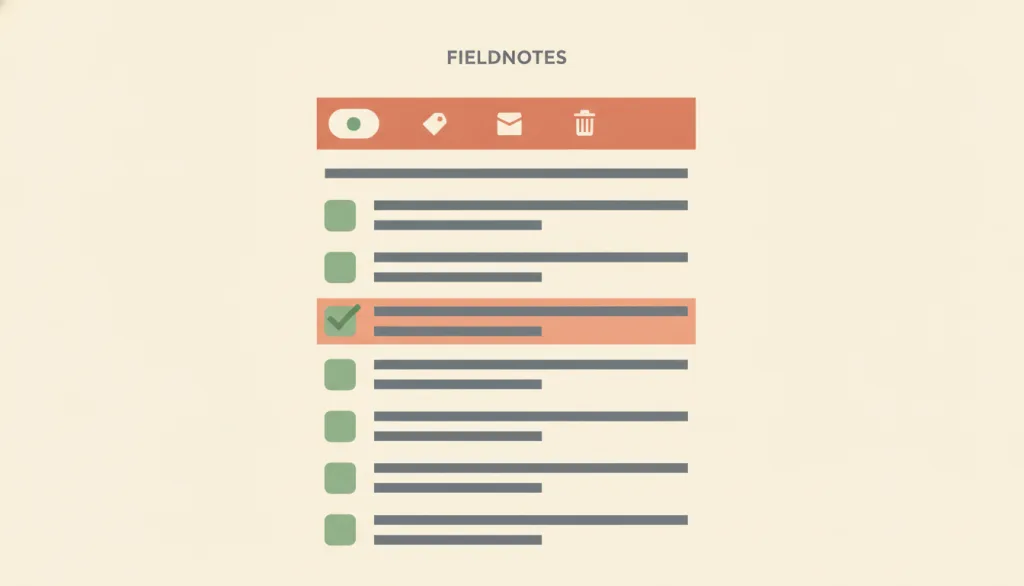
Lets the user check several objects first, then use one shared action entry point to apply the same action to the whole selection — usually shown as an action toolbar or menu that appears alongside the selection, instead of triggering the same action once per object.
Recognizing it
- The user checks several items first, then triggers one shared action instead of repeating the same action item by item
- The selected count and what "select all" covers stay visible at all times
- The toolbar or menu carrying the batch action appears only while at least one item is selected, and updates as the selection count changes
Concept boundary
Batch actions differ from contextual actions in granularity: contextual actions apply only to the single object the user currently selects or points at, and its entry point appears when that one object is targeted. Batch actions apply to a group of objects the user has checked beforehand, and its entry point appears whenever at least one item is selected, not when one object is pointed at. It also differs from inline edit — inline edit changes the content of a single field in place, while batch actions repeat one discrete action (archive, tag, delete) across several objects without changing how any single field is edited.
When to consider it
- The user needs to repeat one discrete action across a batch of objects, such as bulk archiving, tagging, or moving
- The list is paginated or filtered, and the interface can clearly distinguish "select this page" from "select the entire filtered result set"
When to be cautious
- Only one object is being handled at a time — contextual actions already cover that case and no multi-select state needs to be built
- The batch action is destructive (such as bulk delete) but is backed only by a one-time confirmation dialog with no undo or review step that lets the user verify the actual scope of the change before or after it runs
Tradeoff
Batch actions greatly speed up repetitive tasks, but they require keeping a visible selection count, an explicit "select all" scope, and a stronger undo or review mechanism than a single-item action for destructive operations — otherwise one mistake can affect a large number of objects at once.
Conditional rules · Editorial advice
Related entries
Contextual actions target the single object the user currently selects or points at; batch actions target a group of objects the user has checked beforehand — the two differ in granularity and are not substitutes for each other.
A single mistaken action across many objects has a larger blast radius than a single-item mistake, so it needs a clearer undo entry point or change review than a single-item action before users can act on it with confidence.
Whether "select all" covers the current page or the entire filtered result set depends on whatever search and filter conditions are in effect at that moment, and the two must stay consistent and be stated to the user.
Sources and what they support
Batch actions in data tables are usually built on a checkbox per record to establish a selection state, paired with a set of action buttons or menus above or below the table that operate on the selected records; when applying the same action to the entire data set is a common need, a one-click "select all" is a useful shortcut.
Retrieved: 2026-09-15 · Archived 2026-09-16A listbox that supports multiple selection must set aria-multiselectable to true and maintain an aria-selected state on every option; the recommended keyboard model uses Space to toggle a single option, Shift+Arrow to extend a contiguous selection, and Ctrl+A to select all, so the selection state can be fully operated by keyboard and perceived by assistive technology rather than only shown visually.
Retrieved: 2026-09-15 · Archived 2026-09-16Bulk selection should show a text label reflecting the current total selected count, offering "select page" and "select all" as separate options when pagination exists, with that count reflecting the cross-page total in a paginated view; the selection state should persist after the action completes until the user deliberately changes it.
Retrieved: 2026-09-15 · Archived 2026-09-16Definitions reference these sources. Digital specimens, selection advice, relationships, and recipes are editorial work and have not been validated through user research.
Type extensions and implementation notes
This entry has no working specimen yet; the illustration is editorial. A real product still needs to verify that the selection count and "select all" scope stay clear across pagination and filtering, that the selection state can be fully perceived by keyboard and assistive technology, and that destructive batch actions provide an undo or a review step listing the specific changes.
{
"states": [
"idle",
"selecting",
"selected",
"reviewing",
"applied",
"undone"
],
"a11y": [
"Every item's selection state is exposed through aria-selected or an equivalent, and supports Tab, arrow keys, Space, and Ctrl+A",
"Changes to the selected count and to what \"select all\" covers are announced to assistive technology through a live region",
"The appearance and dismissal of the toolbar or menu carrying the batch action is perceivable to screen readers"
],
"motion": "The action toolbar's appearance and dismissal can skip animation; show or hide it instantly under reduced motion"
}Full Agent entry JSON
{
"id": "batch-actions",
"type": "interaction",
"name": {
"zh": "批量操作",
"en": "Batch Actions"
},
"aliases": [
"批量处理",
"多选操作",
"Bulk Actions"
],
"granularity": "flow",
"intents": [
"select-many",
"apply-bulk-action"
],
"tags": [
"batch",
"multi-select",
"select all",
"action bar",
"undo"
],
"definition": "Lets the user check several objects first, then use one shared action entry point to apply the same action to the whole selection — usually shown as an action toolbar or menu that appears alongside the selection, instead of triggering the same action once per object.",
"boundary": "Batch actions differ from contextual actions in granularity: contextual actions apply only to the single object the user currently selects or points at, and its entry point appears when that one object is targeted. Batch actions apply to a group of objects the user has checked beforehand, and its entry point appears whenever at least one item is selected, not when one object is pointed at. It also differs from inline edit — inline edit changes the content of a single field in place, while batch actions repeat one discrete action (archive, tag, delete) across several objects without changing how any single field is edited.",
"signature": [
"The user checks several items first, then triggers one shared action instead of repeating the same action item by item",
"The selected count and what \"select all\" covers stay visible at all times",
"The toolbar or menu carrying the batch action appears only while at least one item is selected, and updates as the selection count changes"
],
"when": [
"The user needs to repeat one discrete action across a batch of objects, such as bulk archiving, tagging, or moving",
"The list is paginated or filtered, and the interface can clearly distinguish \"select this page\" from \"select the entire filtered result set\""
],
"when_not": [
"Only one object is being handled at a time — contextual actions already cover that case and no multi-select state needs to be built",
"The batch action is destructive (such as bulk delete) but is backed only by a one-time confirmation dialog with no undo or review step that lets the user verify the actual scope of the change before or after it runs"
],
"tradeoff": "Batch actions greatly speed up repetitive tasks, but they require keeping a visible selection count, an explicit \"select all\" scope, and a stronger undo or review mechanism than a single-item action for destructive operations — otherwise one mistake can affect a large number of objects at once.",
"comparison": {
"focus": "One action applied to a group of objects the user has checked beforehand, rather than to a single object",
"mechanism": "The user checks several items to build a selection state, then applies one action to every selected item through a shared action toolbar or menu",
"cost": "Requires continuously showing the selection count and \"select all\" scope, and designing an undo or review step for destructive batch actions"
},
"sources": [
{
"id": "nng-data-tables",
"title": "NN/g · Data Tables: Four Major User Tasks",
"url": "https://www.nngroup.com/articles/data-tables/",
"claim": "Batch actions in data tables are usually built on a checkbox per record to establish a selection state, paired with a set of action buttons or menus above or below the table that operate on the selected records; when applying the same action to the entire data set is a common need, a one-click \"select all\" is a useful shortcut.",
"checkedAt": "2026-09-15",
"archive": {
"lookupUrl": "https://web.archive.org/web/20260915*/https://www.nngroup.com/articles/data-tables/",
"status": "available",
"checkedAt": "2026-09-16T05:44:47.270Z",
"jobId": "spn2-0cc4fc46527b310e11d25305239adc9893614208",
"url": "https://web.archive.org/web/20260916054518/https://www.nngroup.com/articles/data-tables/",
"timestamp": "20260916054518"
}
},
{
"id": "apg-listbox-multiselect",
"title": "WAI-ARIA APG · Listbox Pattern (Multi-selectable)",
"url": "https://www.w3.org/WAI/ARIA/apg/patterns/listbox/",
"claim": "A listbox that supports multiple selection must set aria-multiselectable to true and maintain an aria-selected state on every option; the recommended keyboard model uses Space to toggle a single option, Shift+Arrow to extend a contiguous selection, and Ctrl+A to select all, so the selection state can be fully operated by keyboard and perceived by assistive technology rather than only shown visually.",
"checkedAt": "2026-09-15",
"archive": {
"lookupUrl": "https://web.archive.org/web/20260915*/https://www.w3.org/WAI/ARIA/apg/patterns/listbox/",
"status": "available",
"checkedAt": "2026-09-16T05:45:04.400Z",
"jobId": "spn2-79c8791ae493e51a6e71eecb8664c1c7a478ec1f",
"url": "https://web.archive.org/web/20260916054555/https://www.w3.org/WAI/ARIA/apg/patterns/listbox/",
"timestamp": "20260916054555"
}
},
{
"id": "patternfly-bulk-selection",
"title": "PatternFly · Bulk selection",
"url": "https://www.patternfly.org/patterns/bulk-selection/",
"claim": "Bulk selection should show a text label reflecting the current total selected count, offering \"select page\" and \"select all\" as separate options when pagination exists, with that count reflecting the cross-page total in a paginated view; the selection state should persist after the action completes until the user deliberately changes it.",
"checkedAt": "2026-09-15",
"archive": {
"lookupUrl": "https://web.archive.org/web/20260915*/https://www.patternfly.org/patterns/bulk-selection/",
"status": "available",
"checkedAt": "2026-09-16T05:45:31.770Z",
"jobId": "spn2-274d11f62ed8db3bd6c742c177d065f1e8370225",
"url": "https://web.archive.org/web/20260916054555/https://www.patternfly.org/patterns/bulk-selection/",
"timestamp": "20260916054555"
}
}
],
"relations": [
{
"target": "contextual-actions",
"kind": "related",
"condition": "Distinguishing whether an action entry point applies to a single object or to a group the user has selected",
"reason": "Contextual actions target the single object the user currently selects or points at; batch actions target a group of objects the user has checked beforehand — the two differ in granularity and are not substitutes for each other.",
"basis": "editorial"
},
{
"target": "undo-redo",
"kind": "composes_with",
"condition": "The batch action is destructive or wide-reaching, such as bulk delete or bulk move",
"reason": "A single mistaken action across many objects has a larger blast radius than a single-item mistake, so it needs a clearer undo entry point or change review than a single-item action before users can act on it with confidence.",
"basis": "editorial"
},
{
"target": "search-and-filter",
"kind": "composes_with",
"condition": "Bulk selection happens after the list has been filtered or paginated",
"reason": "Whether \"select all\" covers the current page or the entire filtered result set depends on whatever search and filter conditions are in effect at that moment, and the two must stay consistent and be stated to the user.",
"basis": "editorial"
}
],
"rules": [
{
"when": "One or more objects are selected",
"instruction": "Always show the number of items currently selected, and state clearly whether \"select all\" means the items on the current page or the entire filtered result set.",
"strength": "must",
"basis": "editorial"
},
{
"when": "The user changes the selection state by keyboard, mouse, or touch",
"instruction": "Make every item's selection state operable by keyboard (Space to toggle, Shift+Arrow to extend, Ctrl+A to select all), and announce the selection state and count changes to assistive technology through aria-selected or an equivalent attribute plus a live region, not only through a visual highlight.",
"strength": "must",
"basis": "editorial"
},
{
"when": "A batch action causes a hard-to-reverse change such as deletion",
"instruction": "Provide an undo entry point, or a review step before execution that lists the specific changes about to happen — do not rely on a one-time confirmation dialog alone.",
"strength": "must",
"basis": "editorial"
}
],
"behavior": {
"states": [
"idle",
"selecting",
"selected",
"reviewing",
"applied",
"undone"
],
"a11y": [
"Every item's selection state is exposed through aria-selected or an equivalent, and supports Tab, arrow keys, Space, and Ctrl+A",
"Changes to the selected count and to what \"select all\" covers are announced to assistive technology through a live region",
"The appearance and dismissal of the toolbar or menu carrying the batch action is perceivable to screen readers"
],
"motion": "The action toolbar's appearance and dismissal can skip animation; show or hide it instantly under reduced motion"
},
"demo": null,
"version": "0.1.0",
"editorialStatus": "drafted",
"requirements": [],
"demoCapabilities": [],
"implementationNote": "This entry has no working specimen yet; the illustration is editorial. A real product still needs to verify that the selection count and \"select all\" scope stay clear across pagination and filtering, that the selection state can be fully perceived by keyboard and assistive technology, and that destructive batch actions provide an undo or a review step listing the specific changes.",
"image": {
"src": "/images/batch-actions.webp",
"alt": "A fictional FIELDNOTES list: several rows have their checkboxes checked, a persistent action bar at the top shows the selected count and three action icons, and one row is hovered, revealing its checkbox."
},
"searchTerms": [
"批量",
"多选",
"全选",
"操作栏",
"撤销"
]
}