VOCABULARY / ENTRY
Copy and Paste
copy-paste
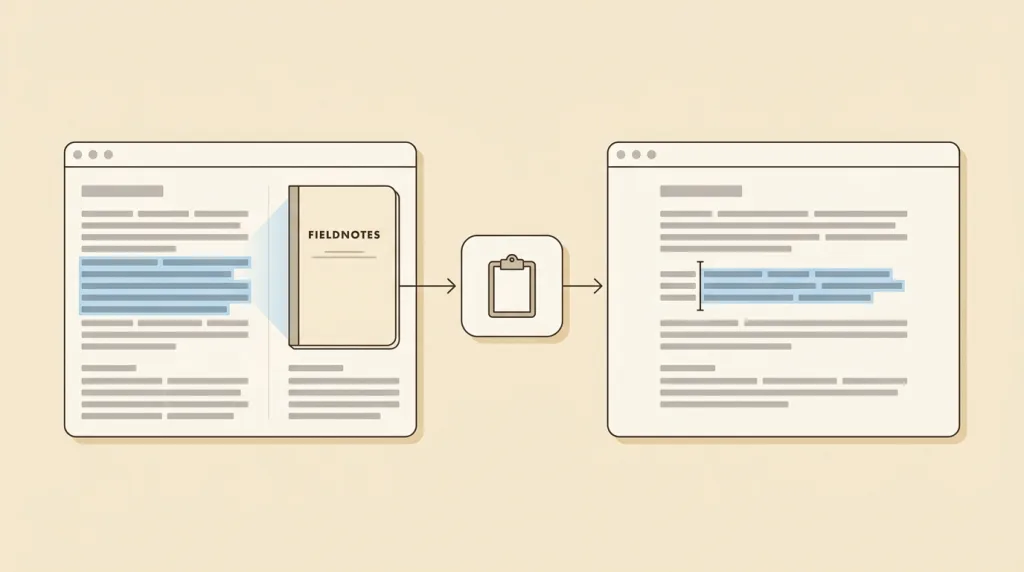
Moving content between places through a system-level holding area: copy puts the selection on the clipboard and leaves the original, cut puts it there and removes the original, and paste takes it out at the current position — across applications included.
Recognizing it
- Copy leaves the original, cut removes it, and paste retrieves at the current position
- Content passes through the system clipboard and works across applications
- One piece of content may have several representable forms and pasting picks among them
Concept boundary
This entry covers how these commands appear and behave in an interface, not any platform’s shortcut table. The clipboard is a shared system-level area: it usually holds one item at a time, can be overwritten by other applications, and may be readable by them, so it is a poor place for sensitive data such as passwords. The formatting problem is inherent to the pattern — one piece of content has different representable forms in different applications — so a product must decide whether pasting keeps or drops formatting, and let the user choose. Blocking paste in password or verification-code fields is not a security measure; it only pushes people toward weaker memorised schemes.
When to consider it
- Content has to move somewhere the current application cannot reach directly
- The content is reused, as when the same text goes into several places
- The user wants to decide for themselves whether to keep or drop the source formatting
When to be cautious
- Sensitive material such as passwords or tokens is put on the clipboard and left there
- Paste is blocked in password or verification-code fields, forcing manual typing
- Pasting always forces the source formatting through and wrecks the destination’s typography
Tradeoff
The clipboard is the most universal channel for moving content between applications, at the cost of belonging to none of them: content can be overwritten or read by other programs and formatting may be lost in translation, none of which the current application controls.
Conditional rules · Editorial advice
Related entries
Dragging needs both ends visible and one continuous press, while copy and paste is bound by neither distance nor visibility — which also makes it the natural equivalent path for a drag.
Both cut and paste change data directly, and undo is the way back once the user sees it went wrong.
Whether formatting survives usually hides in a submenu; exposing it as a searchable command is more reliable than expecting users to memorise a shortcut.
Sources and what they support
The article explains that cut, copy, and paste are essential commands of modern human–computer interaction and user-interface design, offering an interprocess communication technique for transferring data through a user interface, where cut removes the selected data from its original position and copy creates a duplicate, both placing the data in a holding area for a later paste. This entry paraphrases the definition from it.
Retrieved: 2026-09-16 · Snapshot unconfirmedThe documentation explains that the Clipboard API provides the ability to respond to the cut, copy, and paste commands and to read from and write to the system clipboard asynchronously, and recommends it in preference to the deprecated document.execCommand(). This entry takes from it that the system clipboard is a shared resource outside the application; its security considerations remain with the documentation.
Retrieved: 2026-09-16 · Snapshot unconfirmedDefinitions reference these sources. Digital specimens, selection advice, relationships, and recipes are editorial work and have not been validated through user research.
Type extensions and implementation notes
This entry has no runnable specimen; the illustration is an editorial sketch of the clipboard as a holding area, not a verified implementation. Before shipping, confirm that paste is not blocked in any field and check that the default formatting behaviour is consistent.
{
  "states": [
    "idle",
    "copied",
    "cut",
    "pasted"
  ],
  "a11y": [
    "The result of a copy or paste is announced through a status message rather than a brief visual cue alone",
    "The commands appear in a menu as well as on shortcuts, so they do not rely on memory"
  ],
  "motion": "No motion; success is conveyed mainly in words"
}
Full Agent entry JSON
{
  "id": "copy-paste",
  "type": "interaction",
  "name": {
    "zh": "复制粘贴",
    "en": "Copy and Paste"
  },
  "aliases": [
    "Cut, Copy and Paste",
    "Clipboard",
    "剪贴板",
    "剪切粘贴"
  ],
  "granularity": "component",
  "intents": [
    "manipulate-object",
    "run-command"
  ],
  "tags": [
    "clipboard",
    "copy",
    "paste",
    "cross-application",
    "shortcut"
  ],
  "definition": "Moving content between places through a system-level holding area: copy puts the selection on the clipboard and leaves the original, cut puts it there and removes the original, and paste takes it out at the current position — across applications included.",
  "boundary": "This entry covers how these commands appear and behave in an interface, not any platform’s shortcut table. The clipboard is a shared system-level area: it usually holds one item at a time, can be overwritten by other applications, and may be readable by them, so it is a poor place for sensitive data such as passwords. The formatting problem is inherent to the pattern — one piece of content has different representable forms in different applications — so a product must decide whether pasting keeps or drops formatting, and let the user choose. Blocking paste in password or verification-code fields is not a security measure; it only pushes people toward weaker memorised schemes.",
  "signature": [
    "Copy leaves the original, cut removes it, and paste retrieves at the current position",
    "Content passes through the system clipboard and works across applications",
    "One piece of content may have several representable forms and pasting picks among them"
  ],
  "when": [
    "Content has to move somewhere the current application cannot reach directly",
    "The content is reused, as when the same text goes into several places",
    "The user wants to decide for themselves whether to keep or drop the source formatting"
  ],
  "when_not": [
    "Sensitive material such as passwords or tokens is put on the clipboard and left there",
    "Paste is blocked in password or verification-code fields, forcing manual typing",
    "Pasting always forces the source formatting through and wrecks the destination’s typography"
  ],
  "tradeoff": "The clipboard is the most universal channel for moving content between applications, at the cost of belonging to none of them: content can be overwritten or read by other programs and formatting may be lost in translation, none of which the current application controls.",
  "comparison": {
    "focus": "Moving content between arbitrary places through one shared holding area",
    "mechanism": "Copy or cut writes to the clipboard and paste reads it at the destination",
    "cost": "The holding area belongs to no application, and both format and content may change"
  },
  "sources": [
    {
      "id": "copypaste-wikipedia",
      "title": "Wikipedia · Cut, copy, and paste",
      "url": "https://en.wikipedia.org/wiki/Cut,_copy,_and_paste",
      "claim": "The article explains that cut, copy, and paste are essential commands of modern human–computer interaction and user-interface design, offering an interprocess communication technique for transferring data through a user interface, where cut removes the selected data from its original position and copy creates a duplicate, both placing the data in a holding area for a later paste. This entry paraphrases the definition from it.",
      "checkedAt": "2026-09-16",
      "archive": {
        "lookupUrl": "https://web.archive.org/web/20260916*/https://en.wikipedia.org/wiki/Cut,_copy,_and_paste",
        "status": "pending",
        "checkedAt": "2026-09-22T11:54:12.823Z",
        "error": "status-request-failed",
        "jobId": "spn2-c086deae13c648717966d09de59e7a5f7217a459"
      }
    },
    {
      "id": "copypaste-mdn-clipboard",
      "title": "MDN · Clipboard API",
      "url": "https://developer.mozilla.org/en-US/docs/Web/API/Clipboard_API",
      "claim": "The documentation explains that the Clipboard API provides the ability to respond to the cut, copy, and paste commands and to read from and write to the system clipboard asynchronously, and recommends it in preference to the deprecated document.execCommand(). This entry takes from it that the system clipboard is a shared resource outside the application; its security considerations remain with the documentation.",
      "checkedAt": "2026-09-16",
      "archive": {
        "lookupUrl": "https://web.archive.org/web/20260916*/https://developer.mozilla.org/en-US/docs/Web/API/Clipboard_API",
        "status": "pending",
        "checkedAt": "2026-09-22T11:54:18.659Z",
        "error": "status-request-failed",
        "jobId": "spn2-de2deb6aab543b1533175fdfa06f4d74f4960cde"
      }
    }
  ],
  "relations": [
    {
      "target": "drag-and-drop",
      "kind": "alternative",
      "condition": "The user needs to move content from one place to another",
      "reason": "Dragging needs both ends visible and one continuous press, while copy and paste is bound by neither distance nor visibility — which also makes it the natural equivalent path for a drag.",
      "basis": "editorial"
    },
    {
      "target": "undo-redo",
      "kind": "composes_with",
      "condition": "A cut removed the original or a paste overwrote existing content",
      "reason": "Both cut and paste change data directly, and undo is the way back once the user sees it went wrong.",
      "basis": "editorial"
    },
    {
      "target": "command-palette",
      "kind": "related",
      "condition": "The user needs to find a secondary command such as paste as plain text",
      "reason": "Whether formatting survives usually hides in a submenu; exposing it as a searchable command is more reliable than expecting users to memorise a shortcut.",
      "basis": "editorial"
    }
  ],
  "rules": [
    {
      "when": "The product has a password or verification-code field",
      "instruction": "Allow pasting. Blocking it obstructs password managers and pushes users toward weaker, more memorable secrets.",
      "strength": "must",
      "basis": "editorial"
    },
    {
      "when": "Pasted content carries formatting from its source",
      "instruction": "Offer a plain-text paste alongside it, and keep the default consistent and predictable within the product.",
      "strength": "recommend",
      "basis": "editorial"
    }
  ],
  "behavior": {
    "states": [
      "idle",
      "copied",
      "cut",
      "pasted"
    ],
    "a11y": [
      "The result of a copy or paste is announced through a status message rather than a brief visual cue alone",
      "The commands appear in a menu as well as on shortcuts, so they do not rely on memory"
    ],
    "motion": "No motion; success is conveyed mainly in words"
  },
  "demo": null,
  "version": "0.1.0",
  "editorialStatus": "drafted",
  "requirements": [],
  "demoCapabilities": [],
  "implementationNote": "This entry has no runnable specimen; the illustration is an editorial sketch of the clipboard as a holding area, not a verified implementation. Before shipping, confirm that paste is not blocked in any field and check that the default formatting behaviour is consistent.",
  "image": {
    "src": "/images/copy-paste.webp",
    "alt": "A sketch: in a fictional window on the left a run of grey placeholder text is selected and highlighted, a small tile marked with a clipboard icon holds it in the middle, and in another fictional window on the right the same placeholder run appears at the caret, with arrows from both windows to the middle."
  },
  "searchTerms": [
    "剪贴板",
    "复制",
    "粘贴",
    "跨应用",
    "快捷键"
  ]
}